
Campgrounds
Campground management system
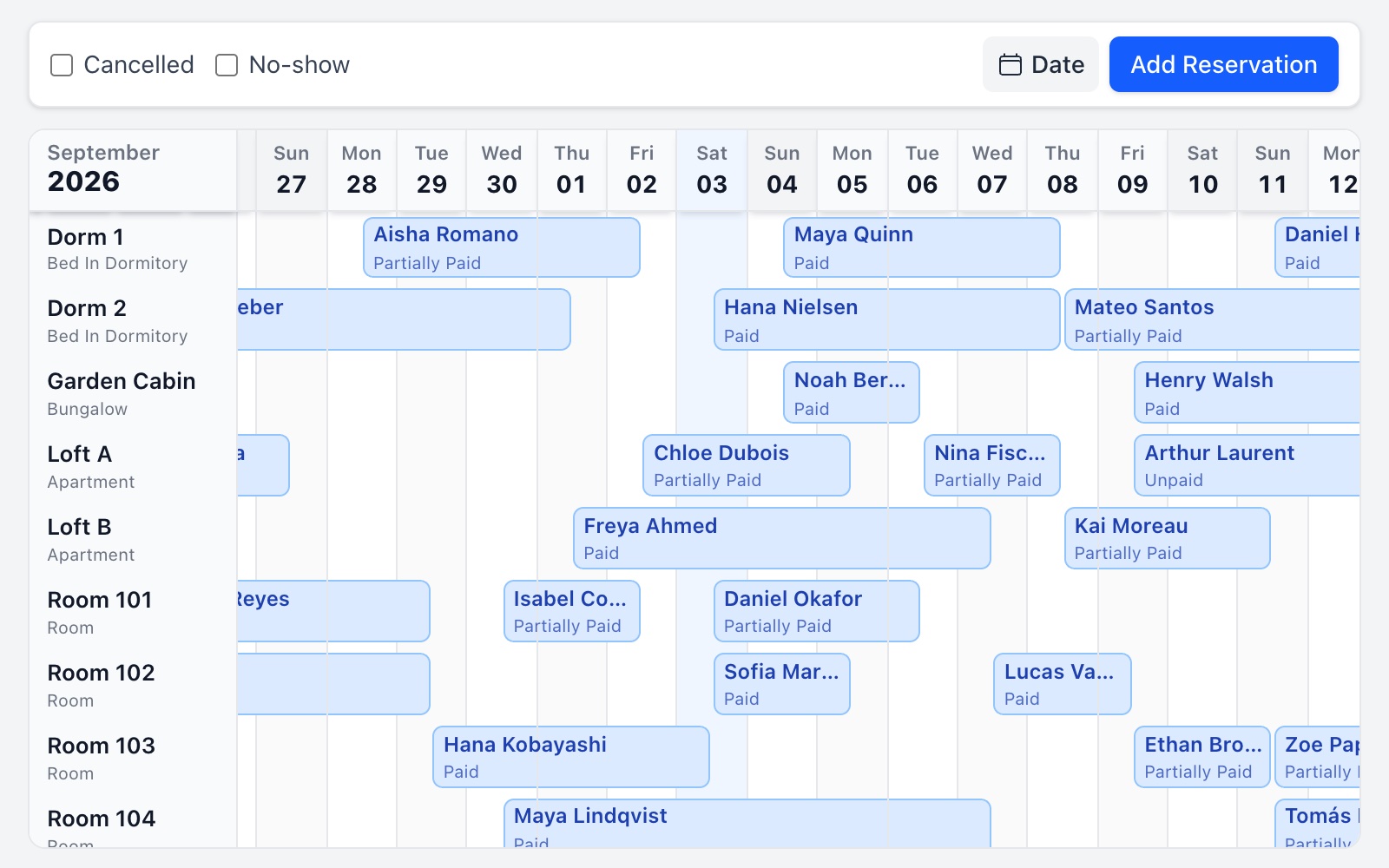
See tents, caravans, bungalows, and rooms on one calendar so reservations, occupancy, and payments stay easier to manage.
Read more
At many campgrounds, bookings still live across phone calls, WhatsApp, Instagram messages, and paper notes. One guest asks about a tent pitch, another needs a caravan hook-up, someone else sends a bungalow deposit. Konako brings that flow into one reservation calendar so you can see which pitch is taken, which booking is underpaid, and who checks in today.
Common campground challenges
Requests in too many places
When phone, WhatsApp, and social messages sit in different places, it is easier to promise the same dates to two guests.
Tracking tents, caravans, and bungalows together
Each unit type works differently. Without one calendar for caravan pitches, tent areas, bungalows, or rooms, daily occupancy checks get messy.
Deposits and unpaid amounts on the side
Payment details kept in separate notes can lead to missed or forgotten payments on check-in day.
Check-in, check-out and room preparation
In busy weeks you need a quick view of who arrives today, who leaves, and which area needs preparing next.
How Konako fits your campground
Konako does not force you to run a campground like a city hotel. You can define each tent area, caravan spot, bungalow, or room as its own unit and track occupancy on the calendar, from a small nature site to a mixed-use property with the same simple logic.
Unit-based calendar
Track rooms, bungalows, tent areas, or caravan pitches separately.
Quick booking entry
Add a reservation while you are on the phone or replying on WhatsApp.
Clear payments
See total amount, amount paid, and remaining amount on each booking.
Core work for campground operations
Occupancy tracking
Weekends, holidays, and summer peaks are when you need to see free pitches fast. Konako shows tent, caravan, and bungalow occupancy on one screen so you are not jumping between lists.
Reservation tracking
A phone inquiry, a confirmed WhatsApp booking, or an Instagram question can all land in the same routine, instead of searching through notebooks later.
Guest and payment details
Guest name, stay dates, total, payments received, and unpaid amount stay on the booking record so unpaid amounts are visible before check-in.
Mobile use
You are not always at a desk on site. Konako works on phone and tablet so you can check the calendar from the field.
Typical situations
Checking weekend occupancy
See which tent, caravan, or bungalow areas are booked for Friday and Saturday nights straight from the calendar.
Logging a WhatsApp booking
Capture dates, unit type, guest count, and payment while you are still in the conversation, with no later note search.
Spotting unpaid amounts on arrival day
Review remaining amounts for guests checking in today so payments are not missed.
Frequently asked questions
Is Konako suitable for small campgrounds?
Yes. Konako is kept simple for small and medium-sized stays. A site with a few tent areas or bungalows can use it without a difficult setup.
Can I track caravans and tents separately?
Yes. Define each area as its own unit and follow caravan, tent, bungalow, or room occupancy on the same calendar.
Can I enter bookings that started on WhatsApp?
Yes. Konako does not read WhatsApp messages automatically, but you can turn phone or social requests into bookings quickly.
Can I track campground payments?
Yes. Total amount, amount received, and remaining amount can be tracked on each reservation.
Is Konako a complicated system for campground management?
No. The goal is not to behave like complex hotel software. It is to simplify daily reservations, occupancy, and payments for campground teams.
Other property types
Start managing, or connect channels
Core for your daily work. Pro to connect booking channels.